
AI Unplugged · by Mike Murphy · sent August 7, 2026 · Issue 070
LinkedIn Takes On AI Slop
LinkedIn rolled out a "Seems like AI slop" button that lets users flag posts they think were written by AI, part of a broader push against low-quality AI content.
🗞️ AI News of The Week: LinkedIn Adds A Button To Report AI-Generated ‘Slop’
LinkedIn rolled out a “Seems like AI slop” button that lets users flag posts they think were written by AI.
Mike’s Take: Who cares. My guess is LinkedIn loves all the AI content and is likely just gathering user data while getting some good press. But, what do I know?
Chief product officer Hari Srinivasan called it “a top priority,” and it’s one of several moves: LinkedIn is also blocking “hundreds of thousands” of automated comment attempts a day, building classifiers to catch low-quality AI content before it hits your suggested feed, and privately flagging in your own dashboard if your posts read as AI-written.
👉 Read More About LinkedIn & AI Slop Button
🧠 AI Term of The Week: Asynchronous (Async)
Definition: Async (short for asynchronous) means doing a task without waiting for it to finish before moving on. Instead of standing still and doing nothing while a slow job runs, your computer starts the job, turns to other work, and comes back when the answer is ready.
Explain It Like I’m 5: It’s like putting a pizza in the oven and going back to play instead of standing at the oven door watching it bake.
Why it matters now:
- Almost every AI tool you use, chatbots, coding agents, background jobs, relies on async under the hood to feel responsive
- Understanding async helps you make sense of why some AI tasks return instantly and others “work in the background”
- It’s the difference between a tool that freezes while it thinks and one that lets you keep working while it thinks
💬 Quote of the Week
“Write bad things in sand, good things on marble.” — Proverb
🧰 AI Tool of The Week: Claude Design
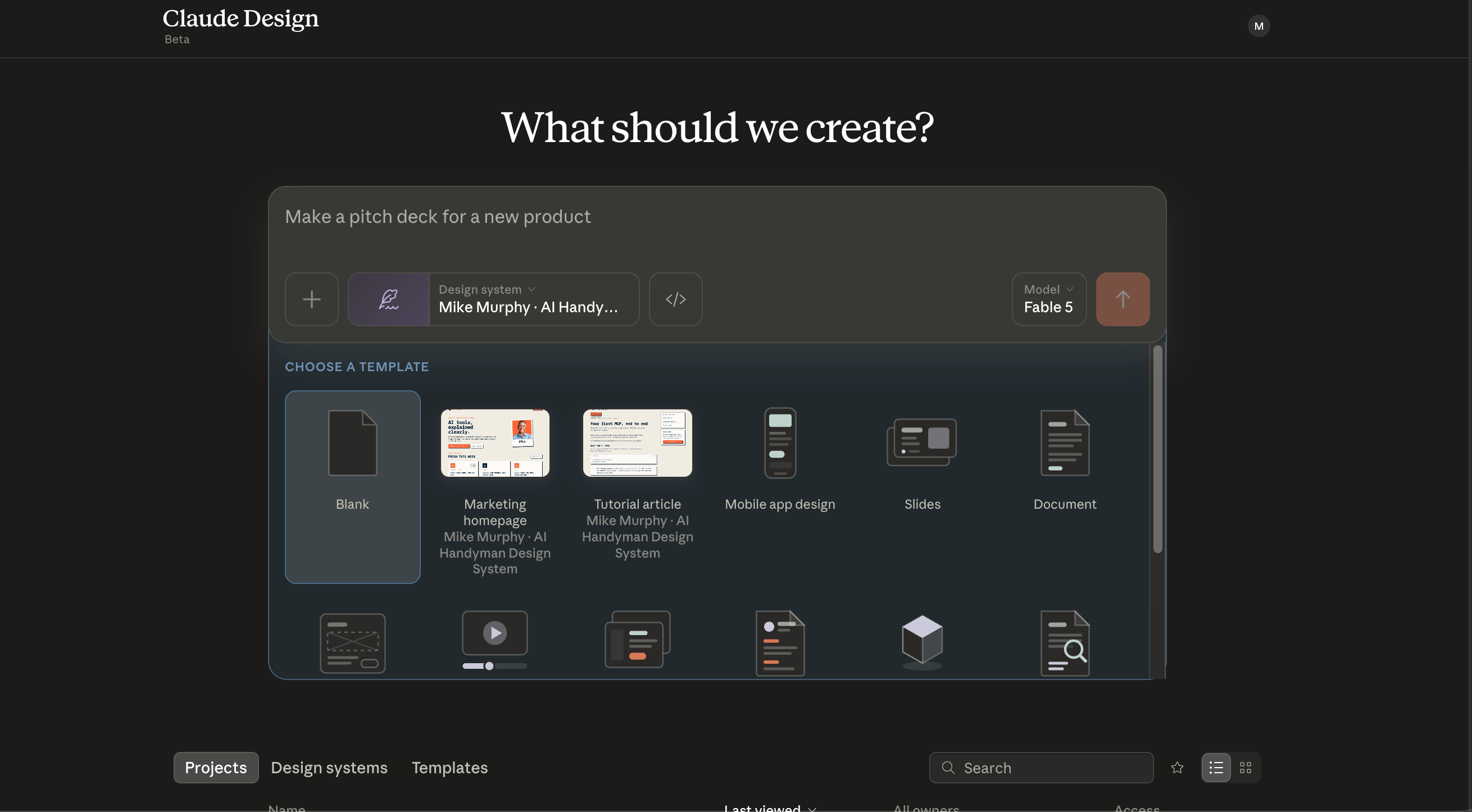
Claude Design is an AI-powered visual creation workspace from Anthropic Labs that lets you generate and collaborate on polished design assets straight from a conversation with Claude.
How To Access Claude Design?
- Go to https://claude.ai/design
- Look for the paint palette in the sidebar to access
Mike’s Take:
- Seriously impressive tool by Anthropic for design
- I built my new brand system, website wireframe, logos, etc all on Claude Design
- It’s impressive and you can access it in a browser
What it does:
- Generates visual design assets, like graphics and layouts, from plain English prompts
- Lets you refine and iterate on designs conversationally instead of hunting through toolbars and menus
- Keeps design work in the same workspace as the rest of your Claude-powered work
🛠 AI Tutorial Of The Week: Remotion: How To Get Started Making Videos With Code (Beginner’s Guide)
Description: In this tutorial, you will learn how to get started using Remotion to build videos and animations programmatically (code-based).
🤖 What You’ll Learn
- Remotion setup: scaffolding a project from a single command
- npm i: the beginner mistake that trips almost everyone up
- Remotion Studio: previewing your video live in the browser
- Claude Code: animating a graphic with a plain English prompt
- Live edits: changing colors and code that sync instantly
- Project structure: what src, public, and package.json actually do
- Rendering: exporting a finished video or GIF
- Restarting: bringing the local server back after you shut it down
Mike Murphy — The AI Handyman 🧰 Helping creators & small businesses turn their content & documents into AI-powered tools.