
AI Unplugged · by Mike Murphy · sent May 29, 2026 · Issue 060
YouTube's AI Labels Get Smarter
YouTube is rolling out automatic AI detection and more prominent labeling for AI-generated content and it applies whether creators disclose it or not.

🗞️ AI News of The Week: YouTube’s AI Labels Get Smarter
YouTube is rolling out automatic AI detection and more prominent labeling for AI-generated content and it applies whether creators disclose it or not.
Why this matters:
-
**More visible labels:**Long-form videos show the label below the player; Shorts get an overlay directly on the video
-
**Automatic detection:**YouTube will label AI content even if a creator doesn’t disclose it themselves
-
**Creator control:**If your content is incorrectly labeled, you can update it in YouTube Studio — but you can’t remove labels from content made with YouTube’s own AI tools (Veo, Dream Screen)
-
No monetization hit: A disclosure label alone doesn’t affect recommendations or ad revenue
👉 Read More About YouTube AI Labels
🧠 AI Term of The Week: Repository (Repo)
Definition: A repository (or “repo”) is a storage location for code, files, and their full version history, most commonly hosted on platforms like GitHub.
Real examples:
-
Immich, Ollama, and Open WebUI are all public GitHub repositories — free to download, inspect, and run yourself
-
When someone says “star it on GitHub,” they mean bookmark the repository
-
When a tool is “open source,” it means the code lives in a public repository anyone can read or contribute to
Why it matters now:
-
Most AI tools worth knowing live in public repositories — understanding this helps you find and install them
-
“It’s on GitHub” is shorthand for free, community-verified, and transparent
-
Self-hosting AI tools (like in this week’s tutorial) starts with cloning a repository
💬 Quote of the Week:
❝
“What one does easily, one does well.”
– Andrew Carnegie
🧰 AI Tool of The Week: Immich
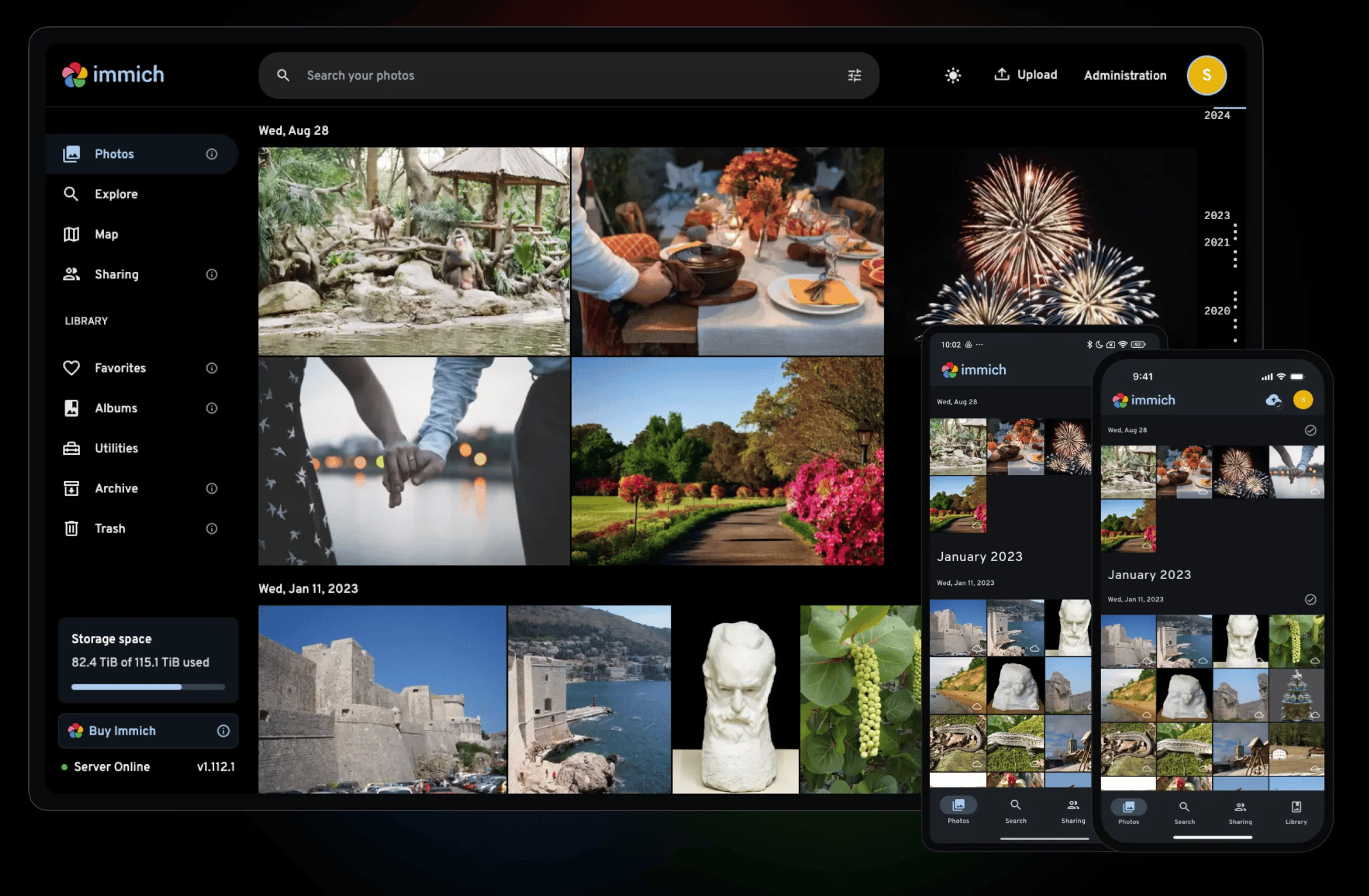
What is Open Immich: A free, open-source, self-hosted photo and video manager that runs on your own server with AI-powered search and facial recognition and your photos never leave your control. Google Photos replacement.
Mike’s Plan for Immich: In an effort to cut loose the shackles of external hard drives and 3rd party subscriptions, I am looking to upload my entire photo library to cheap cloud storage and use Immich on my VPS as my photo server and editor. Big project, no rush.
What it does:
-
Smart Search lets you find photos with plain English queries.
-
Facial recognition runs entirely on your own hardware.
-
Full Google Photos-style experience including auto-backup, albums, and map view without the cloud dependency
Real-world example: Install Immich on a VPS or home server, point your phone’s backup to it, and search your entire photo library with natural language.
**👉 **Check Out Immich
🛠 AI Tutorial Of The Week: Run a Private AI Chatbot on Your Hostinger VPS (Tailscale + Ollama + Open WebUI)
Description: In this tutorial, you will learn how to set up a private, self-hosted AI chat interface on your Hostinger VPS using Tailscale, Ollama, and Open WebUI. This is Part 2 of the Tailscale series. Once it is set up, you will have a ChatGPT-style chat interface running 24/7 on your own server, accessible from any device on your Tailscale network, completely private, secure, and free (beyond your existing VPS subscription).
🤖 What You’ll Learn
-
Open WebUI… deploy it as a Docker container on your Hostinger VPS
-
Ollama… install it as the AI engine powering your chat interface
-
Docker networks: confirm both containers are on the same network
-
Claude Code: use it to deploy Docker containers on your VPS via SS
-
YAML config: set ports correctly and keep services internal only
-
Tailscale MagicDNS: connect to Open WebUI from any device on your network
-
Model management: pull new Ollama models and switch between them in Open WebUI